About our Project

Team VidTech2.0 will be conducting an intervention of the design of the training Team VidTech created in Fall R521: CeLTIE Windows Movie Maker Workshop, wherein we created a hands-on, interactive workshop for language learning teachers interested in learning how to use the free movie editing software Windows Movie Maker to edit their own personal video clips.
Part of the feedback we got from the workshop attendees was that they liked the workshop, however, some thought it was too long, some thought it went too fast, not allowing enough practice time. We realized that this was directly related to the learners' own comfort level with technology. Those who were very tech savvy flew through training on their own using the Student Materials. And those who were less tech savvy followed along with the instructor, asking more questions and needing more practice time. Because we cannot predict or control the level of technical familiarity and comfort of workshop attendees, we decided that perhaps the best way to adjust this factor is create a self-paced workshop. If we redesigned the workshop to be delivered via computer based training methods, then learners could complete the objectives at their own pace, while still keeping the interactive elements and engaging active learning.
Project Representation
So now that we have established our intervention and its justification, we must consider our decisions for organizing and representing content.As related to the actual software instruction of the project, it is very important to be accurate. Using clear and concrete examples of how to complete the tasks via screen captures (both still and video) will be very important. However, we will also be engaging the learner by challenging them to consider why they would use certain elements (captioning, voice over, sound effects, etc), which can be achieved by using more abstract representations, forcing them to think of specific examples.
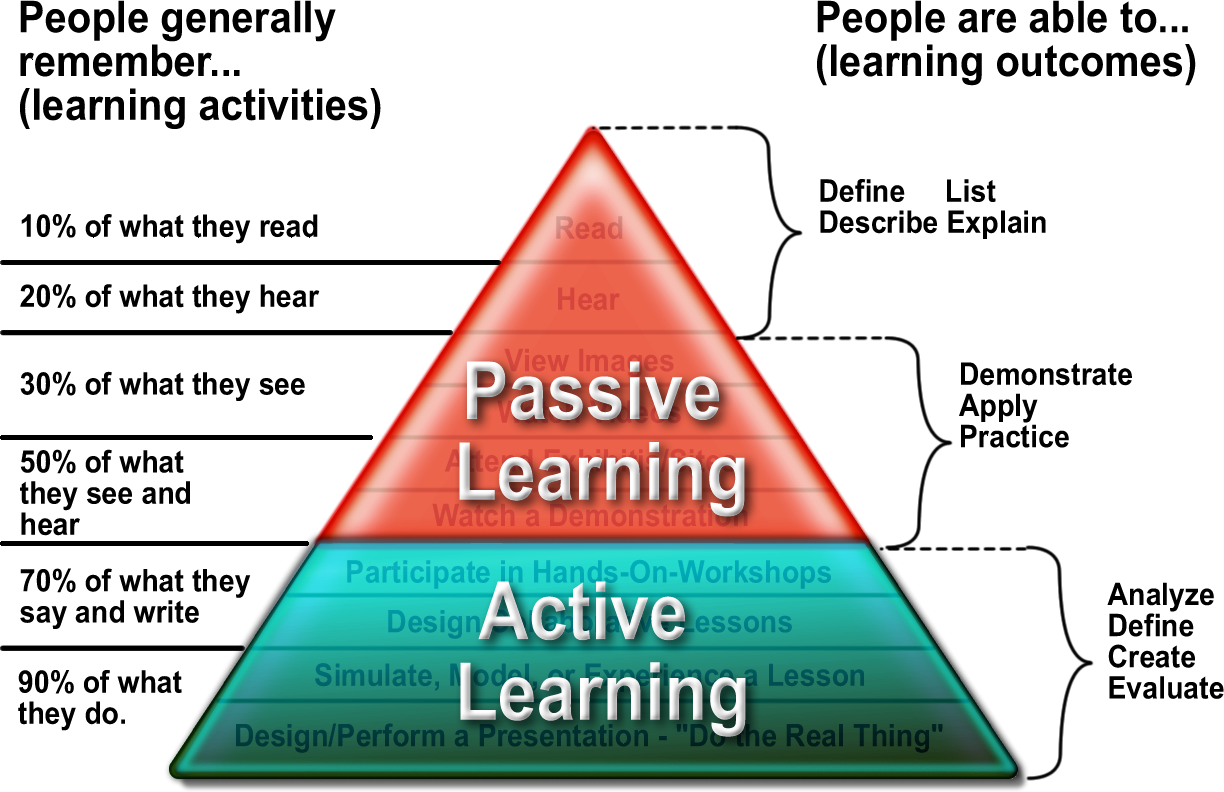 Because of the constraints of the medium in which we have chosen to deliver the content (via online asynchronous website design), there will be a large portion of Passive Learning, reading explanations, observing pictures, watching videos, etc. However, we will also include Active Learning components as well (asking review questions, giving them opportunities to practice in their own windows, etc). By having the learner engage with the content in multiple meaningful ways, our goal is to access their prior knowledge (of both pedagogy principles and software/technology intuitions) and build on them with the knowledge of the new content.
In this training, learner motivation will be a key factor, since the learners will be completing the tutorial independently and self paced. Those learners that push themselves to engage with the content and active practice will get more out of the training than those who chose to passively watch the tutorial, but not engage in the interactive actitivities. And that is something that will be out of our control in the medium selected.
